
Analogue 3D: what the 4K N64 console actually means for developers and players
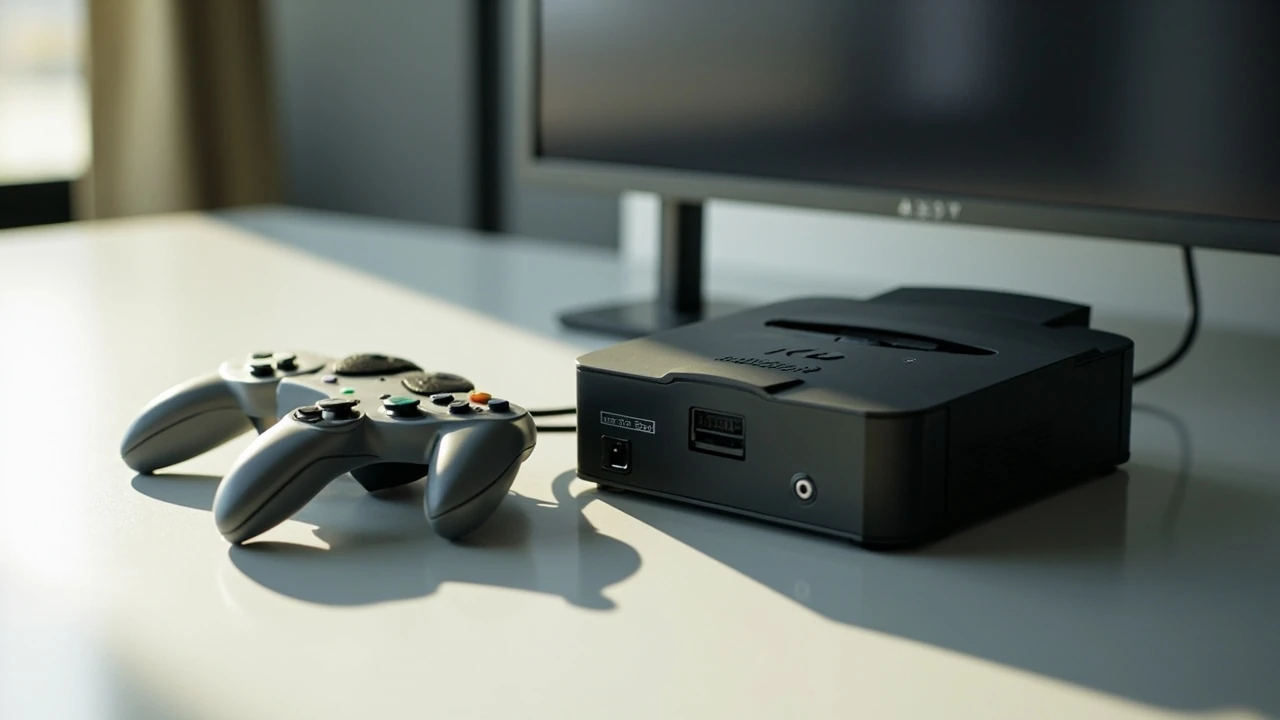
The Analogue 3D is a dedicated, FPGA-based recreation of the Nintendo 64 that targets modern displays through a 4K HDMI output rather than the original 480i composite signal. From a game development and game technology perspective it sits in a small but interesting category: hardware that preserves legacy software behavior while changing the rendering and display pipeline around it. For studios, technical artists, and players who care about accurate N64 timing, this combination is more nuanced than a typical retro plug-and-play device, because the same cartridge still runs on deterministic hardware, just with a very different output stage.
Analogue’s own user guide describes the device as a reimagining of the N64 in 4K that is compatible out of the box with the 900-plus N64 game cartridge library across all regions, with built-in support for Expansion Pak and Controller Pak peripherals. Four original-style controller ports support virtually all original N64 controllers and accessories, and the system also pairs with up to four 8BitDo 64 controllers and accepts wired USB input. These details, drawn directly from the official Analogue 3D user guide, define the practical surface area a developer or curious player has to work with when evaluating the device.
The rest of this page treats the Analogue 3D as a piece of game technology with a verifiable feature set, a clear update path through 3DOS, and a small but defined set of trade-offs. It is written for readers who already understand the difference between emulation and hardware recreation, and who want a clear picture of what the console does, what it does not do, and where it fits relative to original hardware and software-only emulators.
How the Analogue 3D fits into modern game development workflows
Game developers rarely need an N64-class machine on the desk in 2026, but a surprising number of porting, preservation, and homebrew projects still touch the platform. The Analogue 3D matters to that audience because it offers cartridge compatibility, deterministic timing, and 4K output from the same unit. That combination changes three things about how a developer might use the hardware day to day.
First, the system behaves like a reference target for original cartridges. Because it is designed to be compatible with the existing N64 game library across regions, it can be used to validate that a ROM dump, homebrew build, or translated patch still runs the way it did on original hardware. Second, the 4K HDMI output removes the worst legacy display pain points, which makes the device usable on a modern developer monitor instead of requiring a CRT capture setup. Third, the 3DOS update path gives the platform a software layer that can evolve, similar to firmware updates on dev kits.
For ports and remasters targeting modern hardware, the Analogue 3D is best understood as a comparison device rather than a development environment. Real N64 development still happens on official toolchains or approved homebrew paths, not on a consumer recreation console. Where the Analogue 3D earns its place is in QA, capture, and visual reference work, where its combination of original media support and modern display output is genuinely useful.
Hardware, FPGA recreation, and the case for cartridge-level compatibility
FPGA-based recreation is the technical claim that separates the Analogue 3D from software emulation. Instead of interpreting N64 machine code on a general CPU, an FPGA is configured to implement the original system logic in hardware. The practical effect is closer to running the game on the original silicon, at least for the parts of the system that have been faithfully reimplemented. Timing-sensitive titles, controller-pak dependent features, and Expansion Pak requirements tend to behave more predictably on FPGA hardware than on a software emulator running on a desktop CPU.
This matters for a few real workflows:
- Cartridge regression testing: a developer with a patched or translated ROM can run it on real media to confirm that no timing-sensitive bug has been introduced.
- Reference capture: motion, frame pacing, and color behavior can be recorded at 4K resolution, which is far more useful for comparison footage than a 480i signal fed into a capture card.
- Controller behavior: original N64 controllers and 8BitDo 64 controllers behave differently in subtle ways, and the console’s four-port layout lets a developer compare inputs side by side.
The system description in the user guide emphasizes out-of-the-box compatibility with the 900-plus N64 game cartridge library across all regions. For a developer or preservationist, that is a statement about breadth of cartridge support, not a guarantee about every specific peripheral or unlicensed cartridge. It also does not mean every accessory, every flashcart, and every add-on will work; the verified scope is the standard cartridge library plus the Expansion Pak and Controller Pak peripherals. Anything beyond that should be treated as untested until the relevant 3DOS release notes describe it.
4K output, latency, and the realities of a modern display pipeline
The 4K HDMI output is the single most visible change versus an original N64, and it has real consequences. The original console generated a 480i signal designed for CRT displays, where interlacing artifacts were effectively hidden and motion was handled by the persistence of the phosphor. A modern 4K display has none of that forgiving behavior, so the Analogue 3D has to upscale, deinterlace, and frame-convert the original output in real time. The quality of that pipeline determines how close a given game looks to its original CRT appearance.
For a developer, three display-side variables are worth tracking:
- Resolution: the Analogue 3D outputs 4K, but the source signal is still 240p or 480i. The console has to scale the internal framebuffer, and the result is an approximation of the original image, not a literal 4K rendering.
- Latency: any signal processing adds frame latency. For most players this is invisible, but for rhythm and competitive titles it can be measurable. Comparing controller input to on-screen response is a useful sanity check.
- Scanline and shader options: depending on 3DOS version, the console may expose CRT-style filters. These are aesthetic choices, not a faithful reproduction of original hardware, and they should be turned off when validating original color or motion behavior.
A practical rule of thumb is to treat 4K output as a presentation upgrade and a capture convenience, not as a true high-resolution rendering. If a project depends on pixel-accurate color or frame timing, the original signal path still needs to be respected; if it depends on the game being watchable on a modern display, the 4K output is a substantial improvement.
Controllers, ports, and the 8BitDo 64 pairing
Controller behavior on the N64 was famously idiosyncratic, and any device that takes N64 compatibility seriously has to handle that history carefully. The user guide lists three input paths on the Analogue 3D: four original-style controller ports, wireless pairing with up to four 8BitDo 64 controllers, and direct wired USB input. Each path has its own behavior and its own trade-offs, and a developer comparing them should not assume the controller is a transparent variable.
The table below summarizes the practical differences between the three input paths as described in the official documentation. The intent is to make the choice explicit, not to rank one option as universally better than another.
| Input path | Connection | Best fit | Known constraints |
|---|---|---|---|
| Original-style ports | Wired, original N64 controllers and most accessories | Authentic input feel, peripheral testing, Controller Pak behavior | Original stick wear, no rumble standardization, no modern conveniences |
| 8BitDo 64 wireless | Bluetooth pairing to the console | Multiplayer, modern stick layout, broader availability | Wireless latency, occasional firmware alignment with 3DOS |
| Wired USB | Direct USB connection to the console | Low-latency modern pads, accessibility controllers, long sessions | Depends on the specific USB device and 3DOS support level |
For a developer, the practical recommendation is simple: use the original-style port when the goal is faithful behavior, use a paired 8BitDo 64 controller when the goal is comfortable modern input, and use wired USB when the goal is repeatable low-latency input for capture or measurement.
Expansion Pak, Controller Pak, and the peripherals that still matter
Two peripherals define a meaningful slice of N64 software: the Expansion Pak and the Controller Pak. The Expansion Pak upgrades the system’s main RAM and is required by several notable titles that exceed the baseline memory. The Controller Pak is a memory cartridge that slots into the controller and stores save data and, in some cases, minigame content. Both are explicitly listed in the user guide as supported out of the box, and that support has real implications for compatibility.
A list of common scenarios where peripheral support actually changes the experience:
- Expansion Pak required titles: the system must detect the Expansion Pak on boot and use the larger memory map. Any recreation device that mishandles this detection will fail to launch or will run a degraded version of the game.
- Save handling: the Controller Pak is the original save medium. Games that depend on its presence expect a specific file format, and behavior with a missing or full pak is part of the original game design.
- Transfer Pak: although the user guide does not list the Transfer Pak specifically, anyone working with cross-generation features should verify peripheral behavior directly rather than assume it is covered.
Peripheral behavior is one of the most common failure points in any N64-class system, and it is also where FPGA hardware tends to have a clear advantage over software emulation. The Analogue 3D’s explicit support for the Expansion Pak and Controller Pak, as stated in the official documentation, is therefore not a minor footnote; it is a core part of the value proposition for anyone whose work touches peripheral-dependent titles.
3DOS, firmware updates, and the long-term shape of the platform
3DOS is the firmware layer that sits on top of the FPGA hardware. The user guide notes that the Analogue 3D can be updated to the latest 3DOS by visiting analogue.co, which makes 3DOS the primary mechanism for evolving the device’s behavior over time. For a developer this is a familiar pattern: the hardware is fixed, but the software layer is a moving target, and any specific test result is only as durable as the firmware version that produced it.
A sensible workflow around 3DOS looks like this:
- Record the current 3DOS version whenever a behavior is measured or captured.
- Treat 3DOS release notes like a small changelog: read them before debugging a new symptom, because the change may already be in a later release.
- Avoid mixing 3DOS versions across teammates when comparing results, because version skew is a common source of false regressions.
- Keep at least one known-good 3DOS build in reserve, in case a later release breaks a specific title or peripheral combination.
This is the same discipline used for any firmware-driven test target, and the Analogue 3D fits that pattern cleanly. The 3DOS update path is also a reason to be cautious about claims of long-term hardware stability. The hardware may be deterministic, but the system’s behavior can shift between firmware versions.
Comparing the Analogue 3D with original N64 hardware and software emulation
A focused comparison helps position the Analogue 3D in the broader landscape. The table below uses only attributes that are meaningful for a developer or technically minded player, and it avoids scoring systems that would imply a universal winner.
| Attribute | Original N64 | Software emulation | Analogue 3D |
|---|---|---|---|
| Media support | Original cartridges, all regions | ROM files, requires dump | Original cartridges, all regions, 900-plus library |
| Display output | 480i composite or RF, designed for CRT | Whatever the host system supports | 4K HDMI, designed for modern displays |
| Timing fidelity | Reference behavior | Varies by emulator and configuration | FPGA recreation, closer to original timing |
| Original controllers and most accessories | Host-dependent, often modern pads only | Original-style ports, 8BitDo 64 wireless, wired USB | |
| Update path | None, fixed hardware | Software releases on a normal cadence | 3DOS firmware updates via analogue.co |
| Capture and reference work | Requires CRT and capture setup | Easy, but timing accuracy varies | 4K output, cleaner capture, cartridge-grade timing |
The honest summary is that the Analogue 3D does not replace original N64 hardware for every task, and it does not replace a high-quality software emulator for every task. It is a third option that sits between them, with a particular strength in cartridge-grade timing combined with modern display output. For most readers, the question is which combination of those properties actually matters for the work at hand.
Practical checks before you rely on an Analogue 3D in a workflow
Before the Analogue 3D becomes part of a regular workflow, a short set of checks will save time later. These checks assume the reader has access to a known-good cartridge and a representative modern display.
- Confirm the 3DOS version before any measurement, and note it alongside the result.
- Test at least one Expansion Pak title and one Controller Pak title from the relevant library.
- Validate the controller path you intend to use, including any wireless pairing for 8BitDo 64 controllers.
- Verify the 4K output on the target display, including any scanline or CRT filter settings, and turn those filters off for reference capture.
- Document the display mode, HDMI port, and any display-side processing that might add latency.
These steps are deliberately modest. The point is to make the test conditions explicit, because the Analogue 3D is a complex enough device that undocumented setup details will eventually cause confusion.
Where the Analogue 3D makes sense, and where it does not
There is no shortage of ways to play N64 software in 2026, and the Analogue 3D is not the right tool for every one of them. The clearest use cases are preservation, capture, and cartridge-faithful reference work, where the combination of original media support, FPGA timing, and 4K output is genuinely useful. The weakest use cases are casual play, where a software emulator on existing hardware is more convenient, and active N64 development, where official toolchains and approved homebrew paths remain the correct environment.
For a player who simply wants to revisit N64 games on a modern display, the Analogue 3D is a clean, well-supported option, especially with the addition of wireless 8BitDo 64 controllers for multiplayer. For a developer, it is a useful piece of test and capture equipment that complements, rather than replaces, existing N64 hardware and emulators. The clearer the intended use, the easier the device is to justify.
Frequently asked questions
Is the Analogue 3D an emulator or real hardware?
The Analogue 3D is an FPGA-based recreation of the N64, not a software emulator. It runs original cartridges on hardware configured to behave like the original system, which is why timing and peripheral behavior tend to be closer to original hardware than to a software emulator running on a general CPU.
Does the Analogue 3D play every N64 game?
The user guide states that the Analogue 3D is compatible out of the box with the 900-plus N64 game cartridge library across all regions. That covers the standard retail library, but it does not guarantee behavior with every unlicensed cartridge, every flashcart, or every niche accessory. Specific edge cases should be verified against current 3DOS release notes before being treated as supported.
Can the Analogue 3D output a true 4K signal from N64 games?
The console outputs a 4K HDMI signal, but the source is still 240p or 480i, so the 4K image is an upscaled and deinterlaced version of the original framebuffer rather than a native 4K rendering. It is a substantial improvement over 480i composite on a CRT, but it is not the same as a game rendered at 4K.
What controllers work with the Analogue 3D?
According to the official documentation, the console supports virtually all original N64 controllers and controller accessories through its four original-style ports, can pair with up to four 8BitDo 64 controllers wirelessly, and accepts wired USB input. The right choice depends on whether authenticity, comfort, or repeatable low-latency input matters most.
Does the Analogue 3D support the Expansion Pak and Controller Pak?
Yes. The user guide lists built-in support for both the Expansion Pak and Controller Pak peripherals. This matters because several notable N64 titles require the Expansion Pak, and many games rely on the Controller Pak for save data and minigame content.
How does the Analogue 3D receive updates?
Updates are delivered through 3DOS, Analogue’s firmware layer for the console. The user guide notes that the device can be updated to the latest 3DOS by visiting analogue.co, which is the same site that hosts the official documentation.
Is the Analogue 3D suitable for actual N64 game development?
It is a useful reference and capture device, but it is not a development environment. Real N64 development still happens on official toolchains or approved homebrew paths, and the Analogue 3D is best used for validation, capture, and reference work that depends on cartridge-grade timing and modern display output.
How does the Analogue 3D compare with original N64 hardware?
Original hardware remains the reference for N64 behavior, but it produces a 480i signal designed for CRT displays and lacks a clean modern output path. The Analogue 3D keeps cartridge compatibility and FPGA timing while replacing the display stage with 4K HDMI, which makes it easier to use in a modern developer environment without giving up cartridge support.
Does the Analogue 3D add input lag compared to original hardware?
Any signal processing adds latency, so a 4K HDMI pipeline cannot match the sub-frame latency of a direct CRT connection. For most games this is invisible, but for rhythm and competitive titles the difference can be measurable, and a quick controller-to-screen check is a sensible first test.
Should I buy the Analogue 3D for casual play?
If casual play on original cartridges and a modern display is the priority, the Analogue 3D is a clean option, especially with the 8BitDo 64 wireless controllers for multiplayer. If convenience matters more than cartridge media, a high-quality software emulator on existing hardware will be simpler to set up and maintain.


Leave a Reply